Features
From the first task to the last dance.
From the first tasks, guests and budget to the big-screen programme, wedding newspaper and children's activities. Here is what WeddUniverse actually does.

- PlanningBudget, Vendors, Documents
- GuestsSeating, Accommodation, Transport, Gifts
- The dayTimeline, Menu, Music, Running order, Contacts
- In the roomPhotos, Voice book, The screen, Quizzes & games, QR codes
- Web and printWedding website, Print, Wedding newspaper, Children's corner
- More modules
Small things make the big day
Planning
A year of preparation with nothing falling through
Planning
You know what to arrange, and when
From choosing the venue to the last details before the wedding. WeddUniverse helps you keep track of what is done and what is still ahead. And you can change any task to suit you.
- Tasks grouped by how much time is left
- Deadlines, priorities and the state of each task
- You always know what to deal with next
Checklist
Budget
Know exactly what you are spending on
Split the budget across the parts of the wedding and record what you actually spend as you go. In one place you then see what you planned, what you have paid and what is still ahead.
- Planned and actual spending
- What is paid and what is not
- You always know how much is left
Budget
Vendors
Your people, their prices and their contracts
The venue, the photographer, the caterer, the band, the florist — every supplier has a card with their contact details, the price you agreed and where the conversation stands. The figures are summed from your budget, so you can see what is agreed and what is already paid.
- From the first email to a signed contract
- Agreed, paid, and what is still outstanding
- The number and the paperwork on one record
Vendors
Documents
Contracts and invoices you can always find
Upload a contract, a quote or an invoice and file it against the supplier it belongs to. The files are stored in Europe and you can reach them from your phone, including on the day itself.
- PDFs and photographs taken on a phone
- Filed against a supplier in one tap
- There at the moment you need them
Documents
Guests
Guests, from the invitation to a seat at the table
Guests
Who is coming to the wedding?
Guests, invitations and their answers in one place. You see at once who has confirmed, who has not replied and who is bringing a partner or children. Food, allergies, accommodation and any other note fit here too.
- Confirming attendance is simple
- Guests need no account of their own
- Head counts for the caterer and the seating plan
Guests
Seating
Tables that add up
Assign guests to tables and keep an eye on capacity. Anyone who declined doesn't hold a seat.
- Capacity and seats available
- Unassigned guests in one click
- Counts plus-ones and children too
Seating
Accommodation
Where everybody sleeps
Hotels and guest houses with their capacity, the price per night and who is paying for it. Assign guests to each of them and you can see at a glance who is still without a bed.
- Capacity and occupancy for every place
- Who pays — you, the guest, or half each
- The list of guests still waiting for a room
Accommodation
Transport
Nobody gets lost, and everybody gets home
Shuttles, coaches, taxis and parking — with the departure time, the pick-up point and the number of seats. Guests see the transport on your wedding site, so nobody has to ask.
- Departures there and back
- Guests assigned to each departure
- Carried through to the guests' own page
Transport
Gifts
Gifts, and thank-yous nobody forgets
Record what you were given and who gave it — a thing, money, an experience or a helping hand — and tick off everybody you have thanked. For a wedding gift you can also print a QR code carrying your account number.
- A list of gifts, by guest
- Who is still waiting for a thank-you
- A gift square — the money goes straight to you
Gifts and thank-yous
The day
The day, with a running order of its own
Timeline
On the day you know what is happening
From the morning preparations to the last dance. Plan the whole day and share the programme with the people who need to know what happens when — the coordinator, the photographer, the band or the witnesses.
- The programme of the whole wedding day
- Private and shared events
- Sharing it with others is simple
The day
Music
The list for the DJ — and the banned one
Songs for the ceremony, the entrance, the first dance and the dance floor. Guests can send their requests and you decide what is played and what absolutely is not. The DJ gets both lists.
- Songs filed by the moment they belong to
- Guest requests in one place
- A “please do not play this” list
Music
Running order
One screen instead of ten telephone calls
What is happening now, what happens next, and who to ring. Send the coordinator, the photographer or the band a link — they see the running order and the numbers, and nothing else.
- Right now, and immediately after
- Numbers for everybody with a job to do
- A shared link that needs no account
The day
Contacts
Every number this wedding already knows
The contact book is assembled from information already stored with suppliers, accommodation and guests who have a role on the day. Nothing is entered twice; when something changes, update the original record.
- One list instead of three
- Call or write with one tap
- Every row says which record it came from
Contacts
In the room
The evening — the screen, the photographs and the games
Photos
Every wedding photograph in one place
Upload your own photographs and make your own albums. And because the best shots are often taken by somebody else, you can invite guests to add theirs too. After the wedding it is all together.
- Uploading photographs is simple
- Your own albums, with photographs from you and your guests
- Chosen photographs can appear on the wedding website
Photos

Voice book
Messages you will hear in their own voice
Guests leave a short spoken message — they scan the square on the table and talk into their phone. No app, no account. You can keep the recordings sealed until a date you choose.
- Recorded on a phone, with no app and no account
- Sealed until the day you pick
- Downloadable, so they are yours for good
Voice book
The day itself
Wedding photographs straight onto the screen
Guests can add photographs to your album during the wedding, and you can put them on a television through the evening. Scanning a QR code is all it takes for a picture to appear in the shared gallery moments later.
Code for the telephone remote: K7QM2P
- You photograph something worth sharing
- You scan the QR code and add the picture — with no account
- The photograph appears in the shared gallery
- And it can go straight onto the screen
How would you like to watch?
- Scan a QR codeAlways works — open the link on the device at the television.
- AirPlayMirror this screen to an Apple TV.
- Cast to TVA Chromecast or a television with Google Cast.
A television, AirPlay or Chromecast all work.
The evening
The room plays. You just press Next.
A quiz, a vote or guessing who said it. Guests join with their phones from a QR code, the questions run on the big screen, and what counts as right is decided by the server — never by the phone in their hand.
What is on the wall right now
The television or projector in the room joins with a code. After that you simply switch what runs on it.
- Welcome
- Photographs
- Quiz or game· Now showing
- Text
- A phone instead of a buzzerA guest scans the code, types a name and plays. No account, no app, nothing to install.
- The phone never knows the answerPoints, timing and whether somebody has already answered are all settled on our side. There is nowhere to cheat.
- One screen, four modesPut a game, the photographs, your own message or just a welcome on the wall. You switch it from your phone.
- The games are already written6 finished games on the shelf. Copy one and fill in the answers only the two of you know — or write your own questions.
The code on the screen lets guests into the game. The controls stay with you.
QR codes
A square you print and put on the table
Photographs from guests, your wedding site, the Wi-Fi, the way to the venue, a wedding gift or any link at all. A guest scans it and they are there — no app, no account.
- Six kinds of code, each with a card to print
- Guests' photographs straight into your album
- Switch a code off or replace it at any time
QR codes
 Our wedding sitewedduniverse.cz/eva-a-janDownload SVG
- Photographs from guests
- Wedding site
- Wi-Fi
- The way to the venue
- Wedding gift
- Any link
Web and print
What leaves the house: the site, the paper, the newspaper
Wedding website
A website that looks like your wedding
Pick the look you like and shape the rest yourself. Add your own words, photographs, the venue and the programme of the day. Nothing has to look like everyone else’s.
The sections a website is built from
- Opening
- Story
- Countdown
- The day
- Where
- Menu
- Gallery
- Photo band
- Seating plan
- Accommodation
- Transport
- Parking
- Gifts
- Good to know
- Questions
- Contact
- Dress code
Add one, hide one, move one. Not a single one is compulsory.
- Several looks to choose from
- Works on a phone and on a computer
- Everything guests need at one address
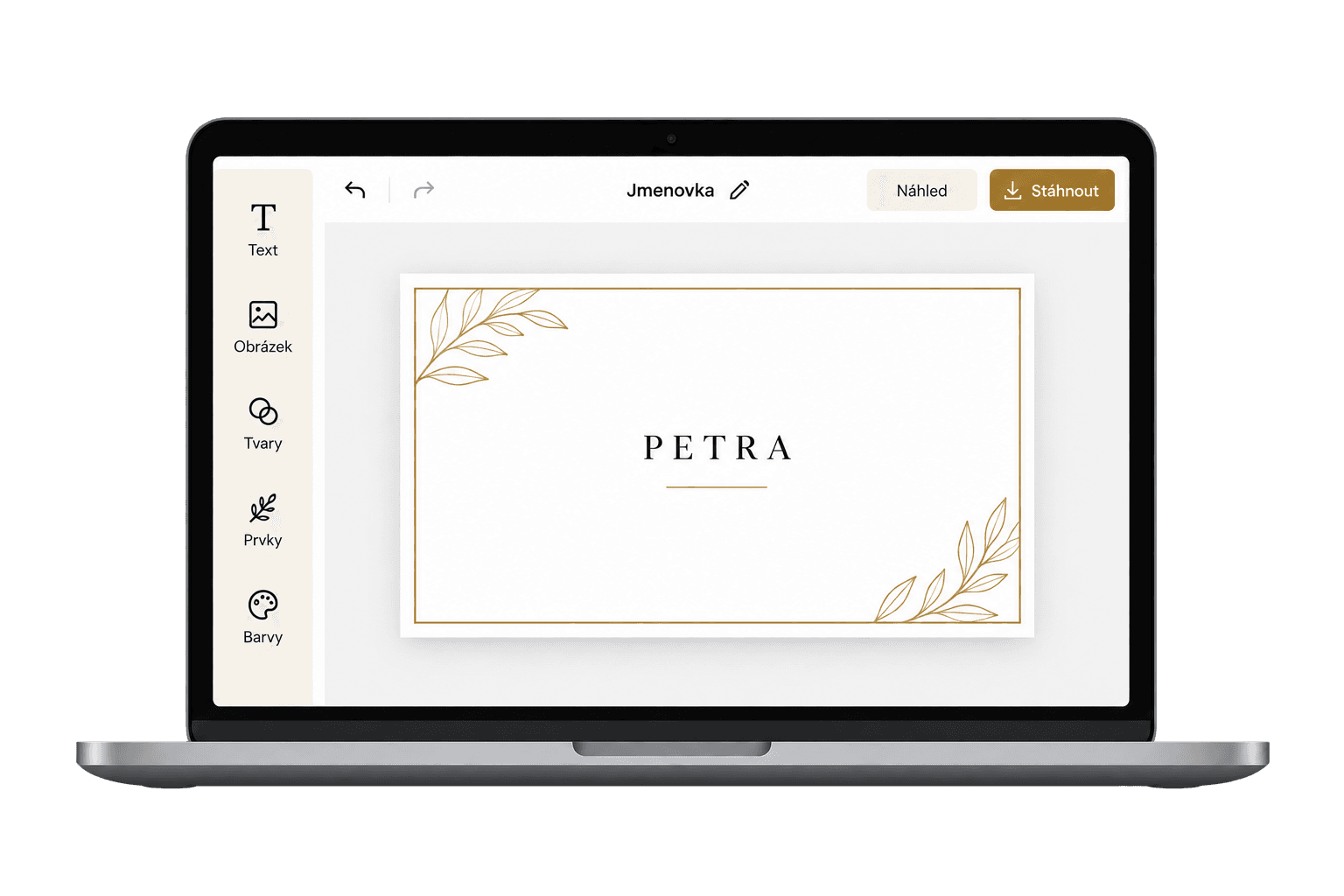
Place cards, menus and invitations in your own style
Ten printed pieces that fill themselves in from your wedding — guests' names, table numbers, the courses of the menu. Lay each one out in the editor and print it at home or at a print shop.
- Ten cards, from save the date to thank you
- Names and details taken from your wedding
- A PDF at print quality
Wedding newspaper
A newspaper about your wedding, on every table.
Eight pages carrying your story, the running order, the menu, a quiz and the photographs. Leaf through them page by page — they fill themselves from your wedding, and you take the PDF to a print shop.
5 ready-made papers to choose from
The Wedding Times
The classic: a masthead with ears, a headline across the page, three columns with a drop cap and the day's programme with its marks.
8 pages
Vintage Gazette
A blackletter masthead, double rules, cream paper and classifieds on the back page. The year 1900.
11 pages
Extra! Tabloid
A headline that fills the page, red, numbers and a horoscope. Loud and funny.
10 pages
Weekend Journal
Lots of air, a soft serif, navy. The weekend supplement.
8 pages
Romantic Paper
A script masthead, floral ornaments and the couple's letter. A keepsake.
11 pages
You can rebuild a template completely — or start from a blank page and lay the paper out yourself.
Children's corner
So the children last longer than the soup.
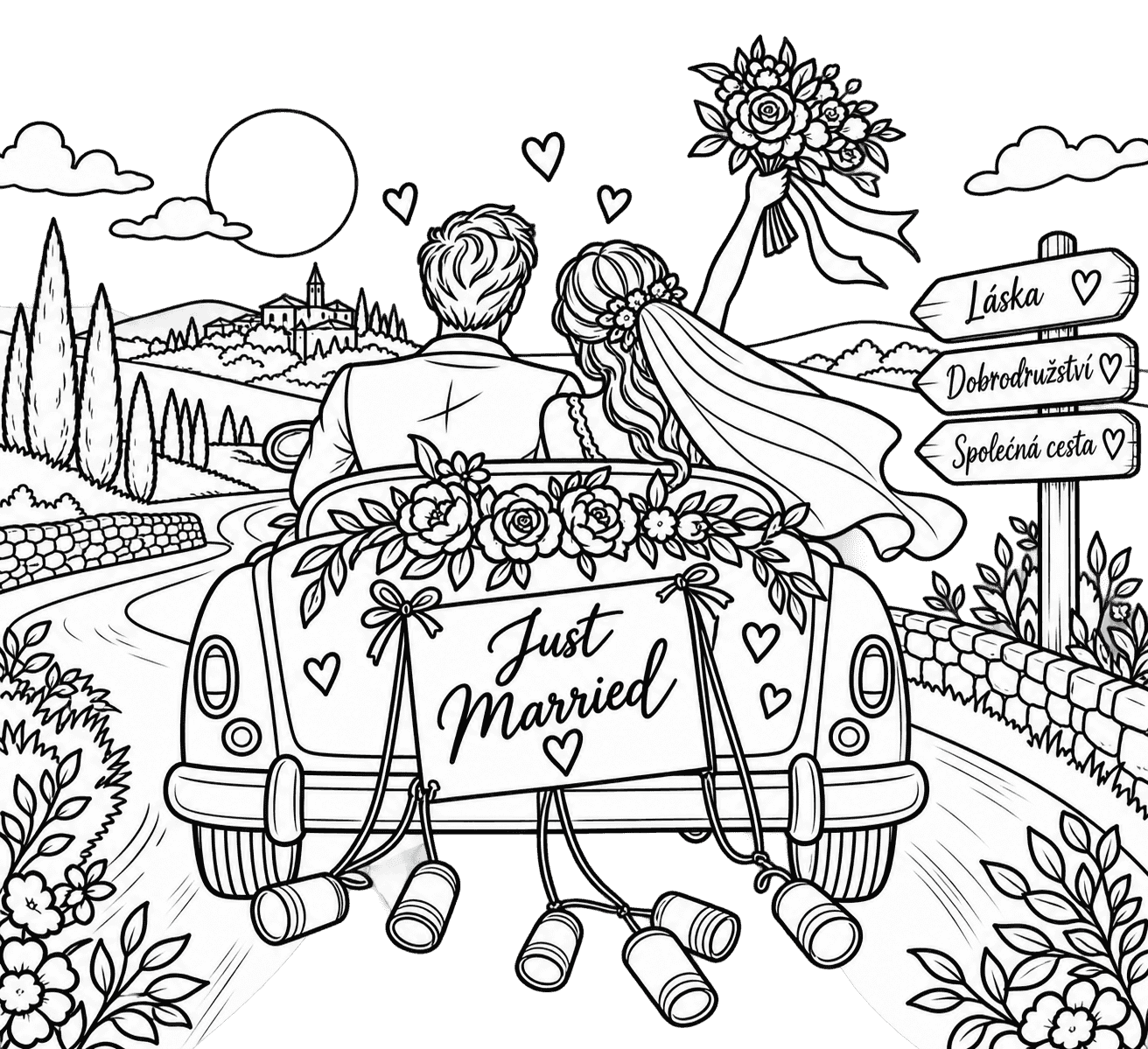
The same editor lays out a booklet for the children's table: mazes, word searches, sudoku, dot-to-dots and colouring pages. Every game is worked out rather than typed — one answer each, and the key is at the back.
9 ready-made packs
- For anybody
- Princess
- Adventure
- Animals
- Space
- Sweet things
- Dinosaurs
- Cars and bikes
- Magic








And also
Small things that can save you a great deal of worry
Small things a spreadsheet forgets. Here they are from the start.
- What the guests seeThe running order, the menu, the map and the gallery — you decide which.
- Invitations and messagesInvitations by email, and a nudge for whoever has not answered.
- The assistantAsk in your own words; it searches your wedding. You apply the change.
- When to get marriedThirty-five years of weather for your place. Which June day rains least.
- A catalogue of venuesCastles, barns and hotels — with capacity, photographs and a contact.
- A catalogue of suppliersPhotographers, bands, caterers and florists. Free, with no account.






Try it on your own wedding
Creating a wedding takes a few minutes. The rest can follow at your own pace.
Create your wedding